
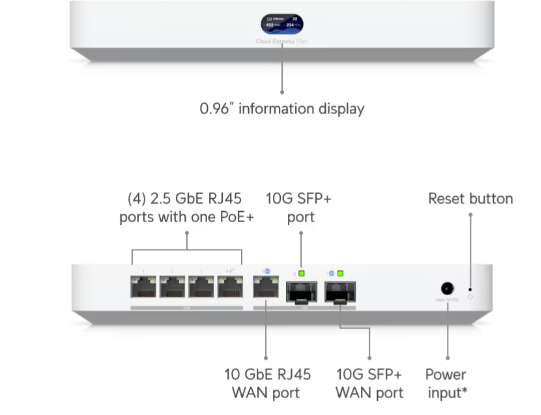
I recently got T-Mobile 2gbps fiber installed at home, and needed a Ubiquiti hardware upgrade to accommodate the new speeds.
I decided to retain my XFinity service at the least expensive speed as a failover.
Equipment Purchase
- UCG-Fiber – I specifically chose the UCG with the embedded controller. I’m tired of the external CloudKey controller and the constant problems I have with it.
- U7-Pro AP – I decided to test one of them before looking at upgrading the entire house.
- SFP+ to RJ45 adapter – The UCG-Fiber comes with only 1 RJ-45 WAN port, and I need a second one for failover.
- New CAT-7 patch cables
Initial configuration
I started with a manual backup of my USG-Pro.
The house is running on the new T-Mobile fiber, so I chose to test with the backup XFinity connection instead of breaking everybody’s internet connection.
I directly connected my laptop with a patch cable to port 1, installed the SFP+ to RJ45 adapter into port 7, and connected the XFinity modem to port 7 with a new CAT-7 patch cable. Then I powered up the router. It came up with a default 192.168.1.0/24 subnet and gave my laptop a DHCP IP. I was able to connect to https://192.168.1.1 to start an initial configuration.
The UCG-Fiber kept trying to find an internet connection, but it could not detect XFinity. Nothing I did made it work correctly, I could not get a link light. I tried rebooting the cable modem, tried a different ethernet cable, but nothing worked. I switched to Port 5, which is not an SFP port, and XFinity came right up.
SFP fix
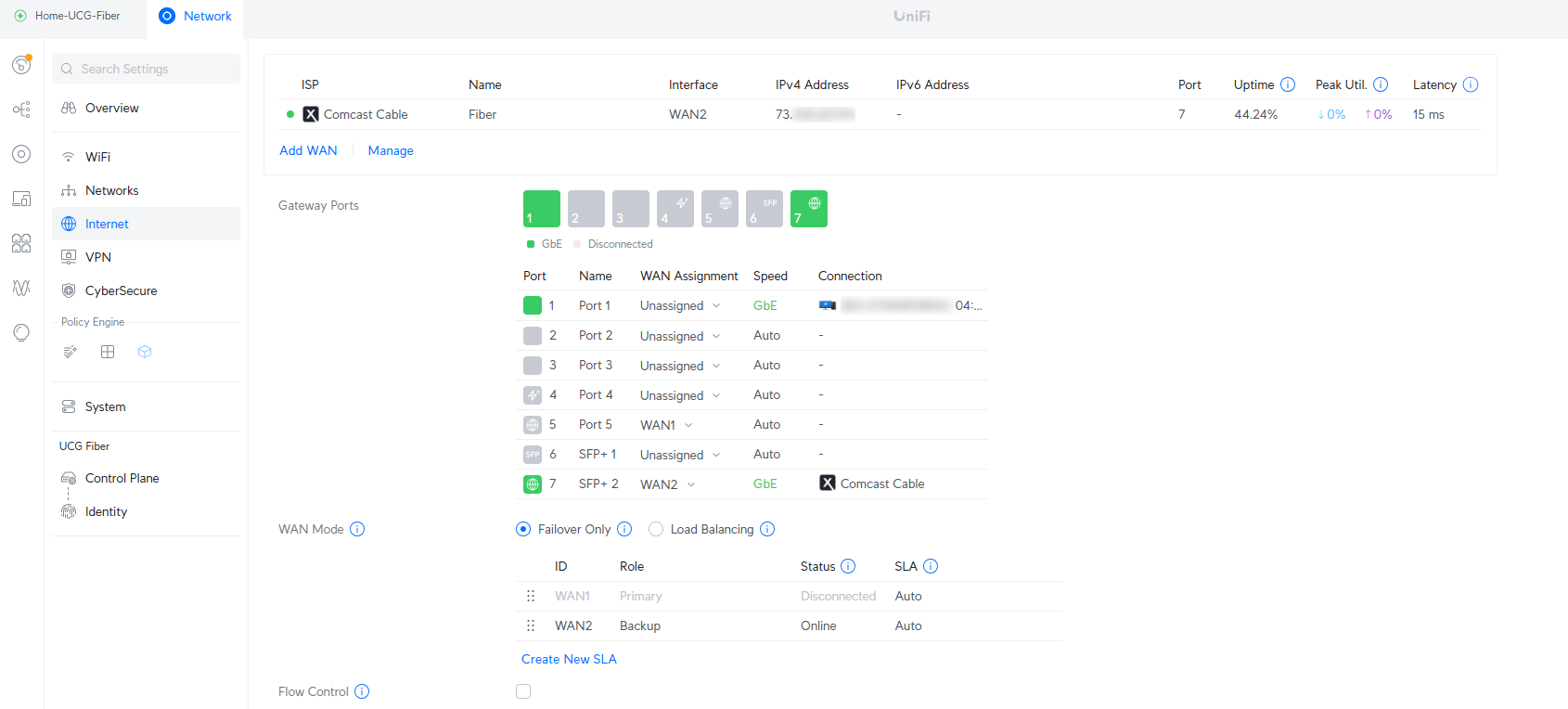
To fix the link problem, I went to UniFi devices, selected the new UCG-Fiber router, then selected Port Manager. Next, I selected Port 7 and forced the Link Speed to 1Gbps.

After rebooting the XFinity modem, internet connectivity came up on port 7. I went to Settings>Internet to confirm that internet failover was set up the way I wanted – WAN2 for XFinity is the backup and WAN1 will be the primary when I connect T-Mobile fiber.
Backup restoration
I browsed to Settings>Control Plane>Backups and restored my USG-Pro configuration

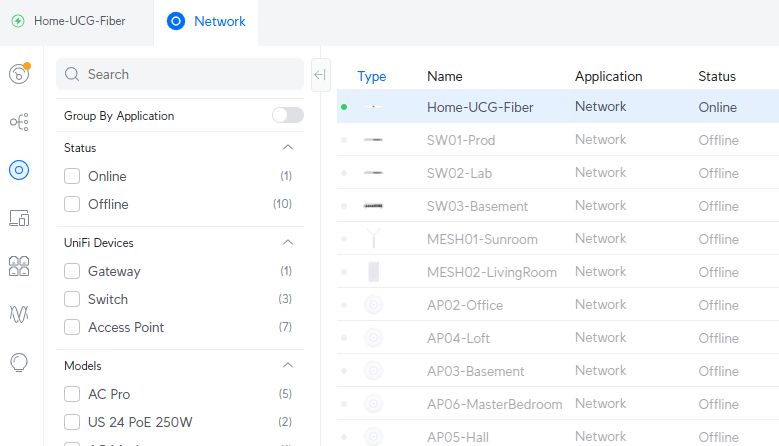
All of my UniFi devices showed up, letting me know I was ready to schedule a cutover onto the new router.
Cutover
I disconnected my old CloudKey controller, then physically removed the USG-Pro.
I reconnected all of the Ethernet cables to the new UCG-Fiber router:
Port 1 – Already connected to the Management Laptop
Port 2 – Production Switch
Port 3 – Lab Switch
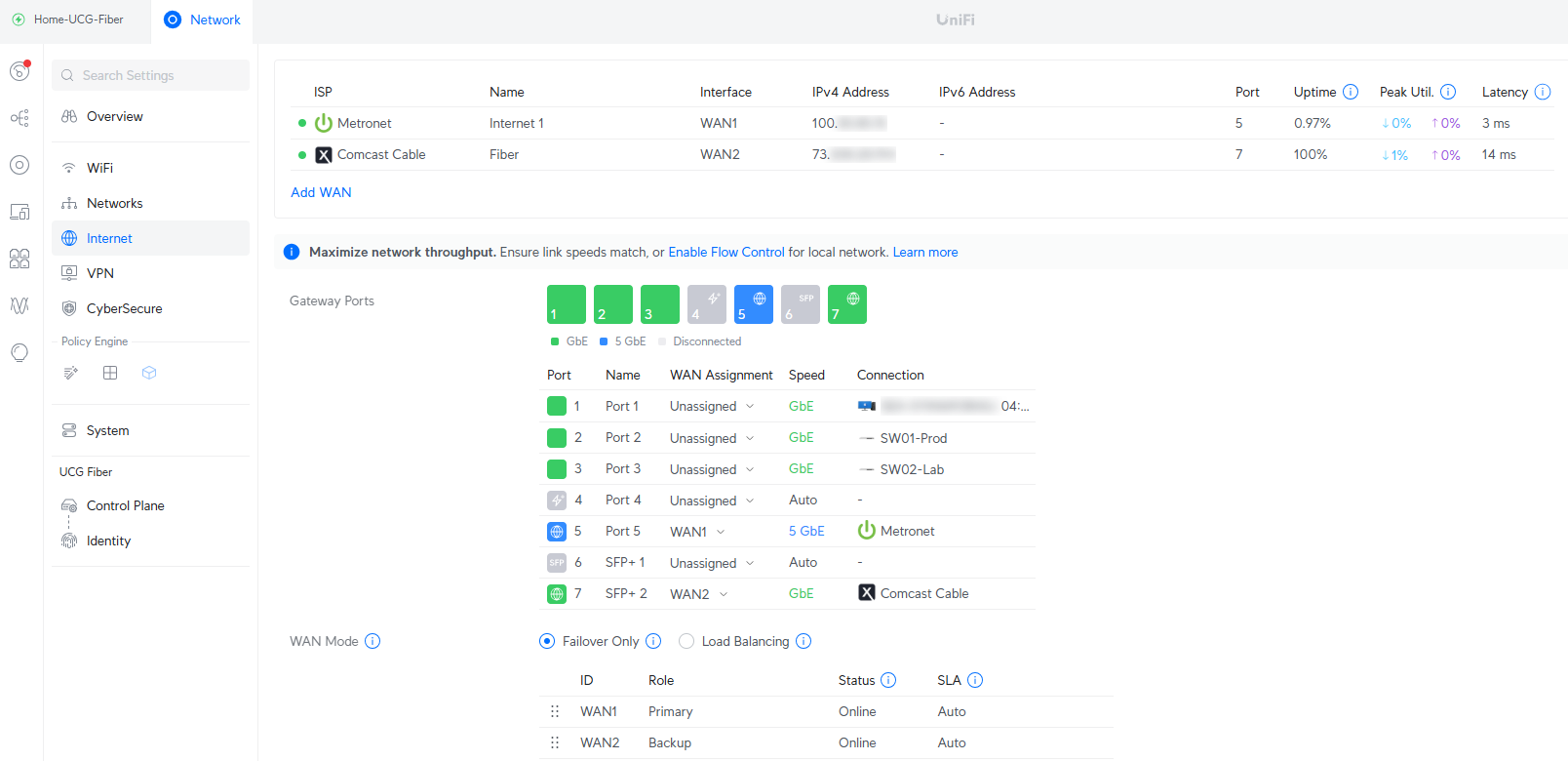
Port 5 – T-Mobile Fiber internet
Port 7 – Already connected to the XFinity backup internet
By the time I logged into the UCG-Fiber router, it had adopted all of my Ubiquiti devices and internet access was working correctly with T-Mobile as primary and XFinity as failover. The total outage was less than 5 minutes.
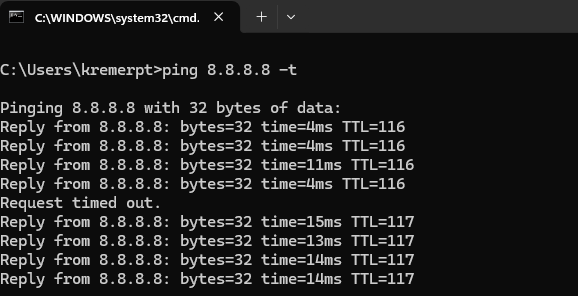
This is a failover test performed by disconnecting T-Mobile fiber Port 5 – it dropped 1 ping before failing over to XFinity.
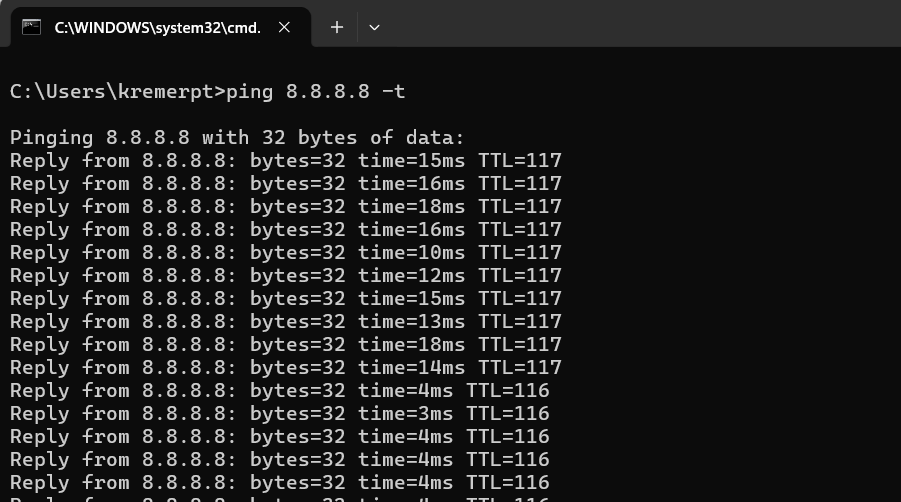
This is failback to T-Mobile by reconnecting T-Mobile fiber port 5 – you can see the failback moment when latency drops to 4ms.
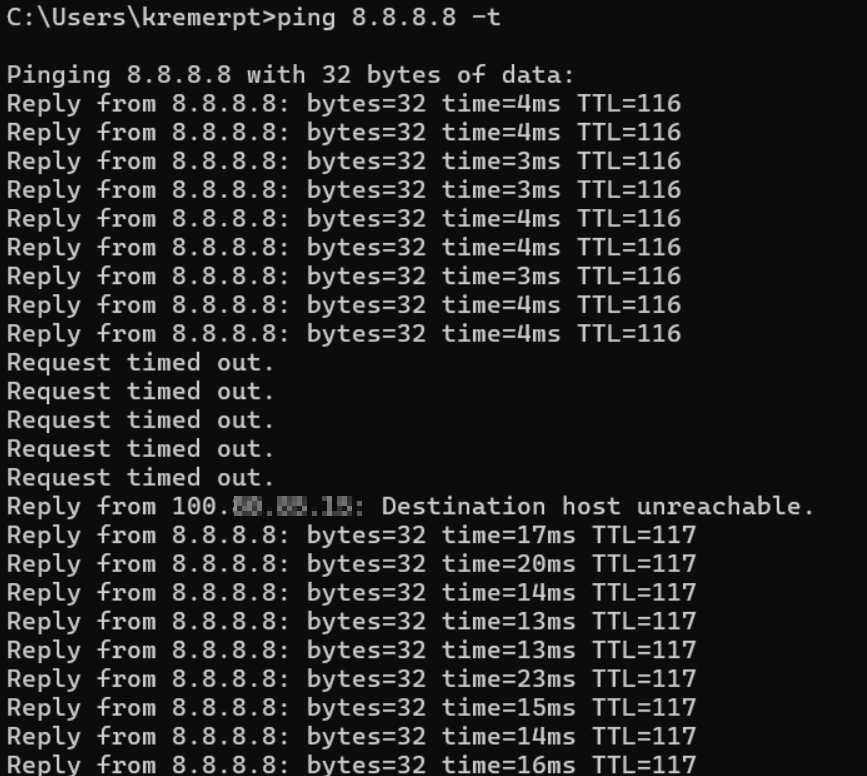
I also tried an upstream failover by disconnecting the fiber farther upstream. You can see 5 pings lost while the router determines that upstream connectivity is lost, then failing over to XFinity. Failback was the same as the prior test, no dropped pings.
For T-Mobile Fiber customers: Removing the Eero router
T-Mobile provided an Eero route, but you are unable to disable the WiFi, so it caused interference with my Ubiquiti equipment. I was able to plug the Port 5 of the UCG-Fiber router directly into the T-Mobile ONT. I didn’t need T-Mobile support to reconfigure anything, I didn’t need to reset the ONT – it just worked.